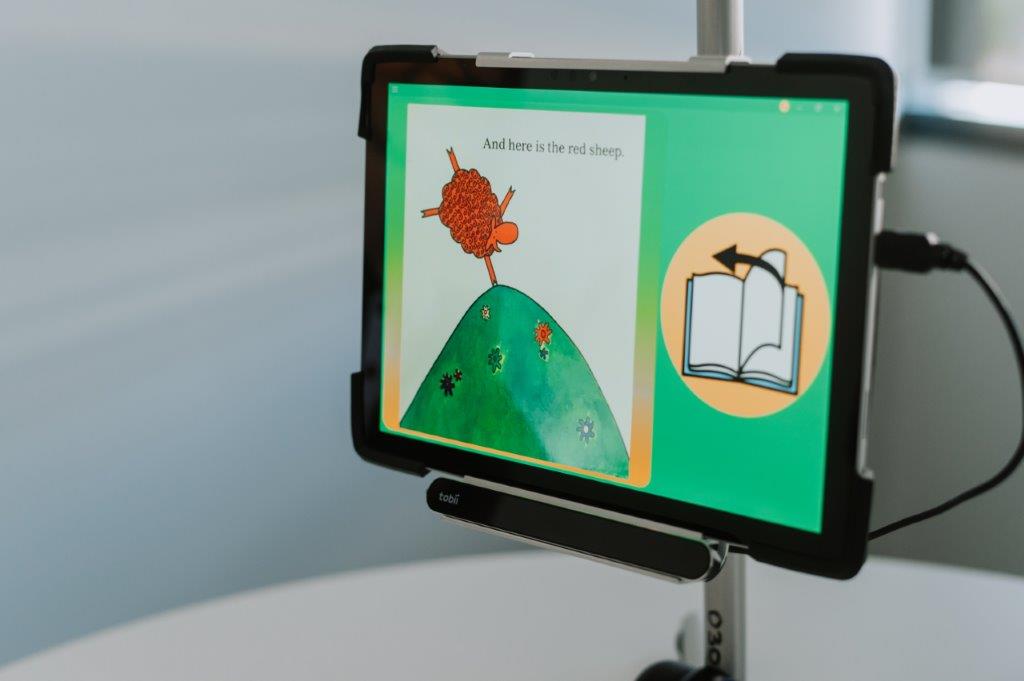
In both mainstream and specialist settings, students with special needs benefit from a variety of technologies designed to enhance their learning. Before deciding which technologies to implement into the learning program, each individual child needs to undergo careful assessment. In a special needs group class for example, each child in the room will be requiring access to a variety of technologies. There is no one size fits all solution, and often, according to Presley, you can’t be sure which equipment will suit a particular student without trialling the actual equipment.
My non-verbal twin boys needed to trial several different AAC devices before we decided on the best option for them. By trialling we were able to find issues that we would otherwise not have considered before paying out a large sum of money for a device that would end up unused. We discovered that most dedicated AAC devices were just too cumbersome and heavy for a 4 year old with poor muscle tone to carry around all day. For them the best option happens to be an Ipad mini with AAC software installed and use of the guided access settings to prevent little hands navigating their way to HeyDuggee.com. The tendency to navigate outside of the AAC app and onto the internet is another issue that would not have been realised without an equipment trial.
Older children may benefit more from a larger screen on a dedicated device, those children are also more likely to find their way around ‘guided access’ settings, and so again, a dedicated device such as a Tobii Dynavox may be preferred here. When choosing a ‘dedicated AAC device’ the software also comes into question, as usually those devices are designed to work with a particular software program. With an Ipad or tablet, a variety of apps could be trialled before deciding on the best option for the individual child. You also need to consider whether the student currently uses an ipad or tablet throughout their school day, would this mean carrying a second device would be a burden or would it still suit them to keep their AAC separate to their other device. When completing an activity on the ipad, it may be difficult to communicate with AAC if it means switching out of the app they are using. Split screen features could be helpful in this case.
Image via cspeda.com
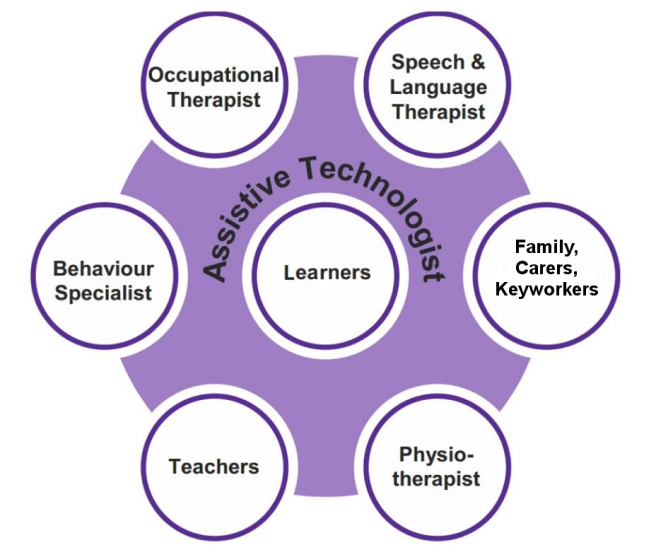
Making the right decisions about technology is both economical for the school and impactful on student learning and engagement. Children with special needs may have a number of issues holding them back from accessing standard educational content, which could comprise any combination of visual, hearing, speech, mobility, social and sensory issues. That is why, what works for one child may not work for the next. It is also important that all staff members working with the student are given ample ongoing professional development and training in whichever technology is being used. Using and trialling programs such as AAC without adequate and up to date training could prove to be detrimental for the student. As explained by Copley, parental training and input into decision making about the chosen technology is also crucial to it’s sucessful implementation. Overall, assessing what is needed, trialling various options, decision making and implementation all require a team effort to ensure success. Copley refers to this as a ‘Collaborative Think-Tank team approach’
This diagram from ATWE (Assistive Technology at Work in Europe) shows all team members with important roles in assessing and implementing Assistive Technology in the classroom, with the student themself being at the very centre.
You have to consider what each individual student is capable of using, as well as what they will be willing to use. Strategies need to be in place to help students with transitions from zero or low tech onto higher level tech. Richards suggests always including students in the decision making process and to try to normalise the use of assistive technology. In a mainstream setting for example, finding a way that the technology can be incorporated into use by the class as a whole, will prevent students feeling different to the rest of the class.
Image via ATWE
Technology solutions for visually impaired students.
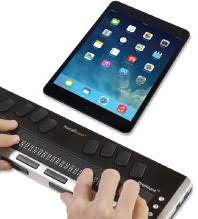
Advances in technology are making huge impacts on the education of the blind and vision impaired. One amazing tool is the refreshable braille display ipad attachment, as seen at Perkins For The Blind website. This tool assists emerging braille learners by allowing them to hear audio when they touch braille symbols and also allows non-braille users, such as teachers, to instantly convert standard texts into braille texts. They can control and use an ipad via a combination of braille and verbal commands.
In this video by Diane Brauner you can see an example of a student learning to read words in braille with assistance from his teacher via the linked Ipad.
Image via Perkins For The Blind
Visual impairments tend to be progressive, so it is essential that blind children begin reading and writing braille as early as possible. While in the early stages, some blind children may able to enjoy books with larger print, they need to be prepared for a time when they will no longer be able to read texts clearly. By learning braille skills early they can avoid being cut off or held back from important educational opportunities. In her interview with Wired, Holly Miller discusses the difficulties she faced in gaining support for her visually impaired child in mainstream schooling and the delays and impact on her son’s education. The family actually had to take legal action before the school would pay attention to their needs.
Access to new technology such as the Refreshable Braille Display with Ipad will help students to become fluent in Braille from a much earlier age. The Refreshable Braille Display with Ipad can also help vision impaired students to integrate into mainstream education settings, as any teacher can now provide them with written worksheets without requiring specialist braille skills.
Using Eye Gaze to Access Technology
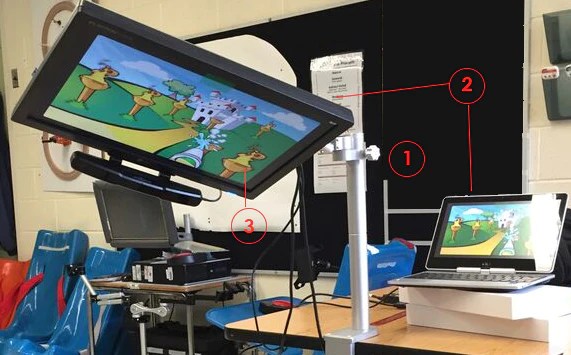
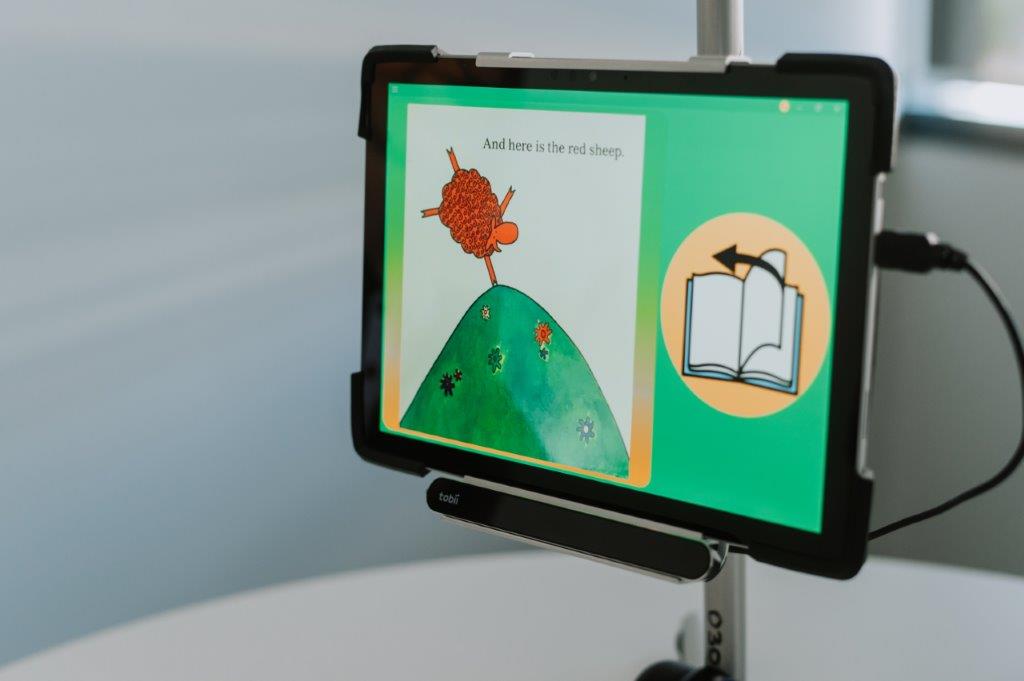
Another innovation that is available to enhance learning and access for students with special learning needs is Eye Gaze technology. Using Eye Gaze, students are able to control tablets and computers and various devices simply using their natural eye movements. While it was originally designed to assist students with physical disability, studies are now finding that Eye Gaze technology can enhance communication skills in children with a wide range of developmental or neurological disorders. Some students may be physically able to choose and tap items on an ipad screen to communicate, but they may not be willing to do so or understand the connection between tapping an image and making a request, some may also find this mode of communicating somewhat stressful or anxiety inducing.
Touch screen AAC also requires a lot of modelling and assistance on the part of the communication partner, while the student is still learning these skills. Eye Gaze on the other hand comes more naturally and with little need for training. Our eyes will naturally look toward or at items we are interested in, and students will quickly learn that by simply looking at an object it can be verbalised for them by the device. Eye Gaze put the communicator in complete control, which in turn gives them more independence. As Lui explains, reducing the amount of prompting and control from communication partners gives a level of independence that is very powerful and impactful for people with disabilities and this is definitely something all people with disablities should be striving for.
Difficulty in communicating with touch screen AAC is not just about being unable to use an ipad and navigate icons and apps, it is about being willing and confident to physically tap the AAC images to produce communication. Being unwilling to communicate this way can often be sensory and anxiety related. The good thing is that with Eye Gaze, no special glasses or goggles need to be worn to use it, because I can imagine that would be a whole other issue for children with sensory concerns.
Bridges Canada explain that in order to use touch screens, switches and analog communication devices, there is a certain level of motor skill development required and there are often physical, cognitive and sensory obstacles holding students back. Eye Gaze is a system with minimal need of skill building, modelling or practising to master its use, unlike any other access method. It is faster, simple to use, doesn’t cause fatigue and is less restrictive.
Image via Bridges Canada
I have identical twin sons who are currently learning to communicate with AAC. Both are very adept ipad users, one is food driven and getting quite a grip on requesting using AAC. He can request food, activities and to go to the bathroom.
The other loves his ipad, loves to look at photos and images and videos on his ipad, however he doesn’t always like to physically tap his screen. He will often take my hand or a teachers hand and have them tap for him. He is also not deeply motivated to request items, as he is a non-eater and generally calm and content and not wanting anything in particular. He is not toilet trained and does not request to use the bathroom. He does however love to zoom in on fine details on photos, such as an item on a shelf in the background. I therefore believe he could be a good candidate for using an Eye Gaze system in the classroom. I feel that it could help teachers and family members to get a better understanding of his interests and wants and even help him to better communicate toileting needs. He is also a very emotional child, often frustrated that he is unable to communicate how he is feeling – so I think eye gaze could definitely be implemented to assist him in expressing his feelings as well.
A study by Lui et al, found Eye Gaze technology to be particularly effective in students with Rett Syndrome, a condition on the autism spectrum that tends to affect mostly girls.
Lui, conducted studies in students’ own classroom settings, in classrooms where students have a range of different communication disorders. The study found a significant increase in communication skill across the board for students using eye gaze technology. 8 out of 11 participants showed marked improvements in communication assessment scores over a 3 month testing period. Those students who did not participate in the program, showed significantly less improvement.
Image via Indigo Solutions
Eye Gaze for Learning Activities
One of the problems I mentioned earlier in regards to touch screen AAC was about being restricted to certain devices or tablets and the difficulty of engaging in computer or ipad based activities, while switching to the AAC app to communicate. Eye Gaze technology eliminates that obstacle, as Eye Gaze can be used to interact with unlimited apps and programs without needing to access AAC buttons and icons. This makes it easier for students to interact and participate with other students in both mainstream and special needs settings.
Eye Gaze is not restricted to use with communication software, it can be incorporated into a student’s entire learning plan. This video from Bridges Canada demonstrates how an Eye Gaze system can enhance student academic learning and help them to feel included and to fully participate in classroom activities, while at the same time maintaining a level of independence and not feeling different to their peers.
I hope that schools and teachers will take advantage of all of the wonderful evolving technologies available to their students, and give their students more inclusion, accessibility and independence so that they can obtain equal acess to the education their mainstream peers have. Sadly often the biggest obstacle is funding, for both equipment and teacher training and professional development.
Resources
- Assistive Technology at Work in Europe. (n.d.). The role of Assistive Technology – Assistive Techology at Work in Europe. Assistive Techology at Work in Europe. Retrieved August 22, 2022, from http://www.atwe.eu/the-role-of-assistive-technology/
- Brauner, Diane. Brian Reading https://cdnapisec.kaltura.com/index.php/extwidget/preview/partner_id/2017271/uiconf_id/34130341/entry_id/1_7ayg3c1a/embed/dynamic
- Copley, J., & Ziviani, J. (2005). Assistive Technology Assessment and Planning for Children with Multiple Disabilities in Educational Settings. British Journal of Occupational Therapy, 68(12), 559–566. https://doi.org/10.1177/030802260506801205
- Indigo Solutions https://www.indigosolutions.org.au/images/default-source/indigo-images/668_indigo_licensed.jpg?sfvrsn=4d87516c_4
- In a Digital Age, Braille Is Still Important. (2012, May 22). WIRED. Retrieved August 22, 2022, from https://www.wired.com/2012/05/braille-is-importantLui, M., Maharaj, A., Shimaly, R., Atcha, A., Ali, H., Carroll, S., & McEwen, R. (2022). User Experiences of Eye Gaze Classroom Technology for Children With Complex Communication Needs. Journal of Special Education Technology, 37(3), 426–436. https://doi.org/10.1177/01626434211019399
- Lui, M., Maharaj, A., Shimaly, R., Atcha, A., Ali, H., Carroll, S., & McEwen, R. (2022). User Experiences of Eye Gaze Classroom Technology for Children With Complex Communication Needs. Journal of Special Education Technology, 37(3), 426–436. https://doi.org/10.1177/01626434211019399
- Perkins Institute for the Blind. (n.d.). Assistive Technology Assessment. https://www.perkins.org/resource/assistive-technology-assessment/#transcript
- Richards, Scott. (2019, May 14). EXPERT INSIGHTS: Assistive Technology Personalizes the Learning Environment. Bookshare Blog. Retrieved August 22, 2022, from https://blog.bookshare.org/2019/05/expert-insights-assistive-technology-personalizes-the-learning-environment/
- Thaner, Charmaine. Collaborative Special Education Advocacy http://cspeda.com/
 Educating Gen Alpha